
Who it is for
Noodle shops, cafés and small restaurants with an owner and a few staff who want to stop running sales, stock and costing on paper and spreadsheets.
Mise is a point of sale, stock and costing app that runs in the browser on a laptop, tablet or phone. Take orders by table, watch ingredients and expiry dates, know what each plate really costs, and keep your data on your own device.
Selling, stock, costing and end-of-day numbers all work from the same data. No paper bills, no stock notebook, no separate recipe-cost spreadsheet.
Noodle shops, cafés and small restaurants with an owner and a few staff who want to stop running sales, stock and costing on paper and spreadsheets.
A till that is easy for staff, and owner screens that show what you sold, your food cost percentage, what is about to expire and which dishes earn too little.
One shop per set of data. There is no online ordering, no direct link to delivery apps and no card processing. You keep using your existing card terminal.
This is what the app does today. Staff get four of the pages. Owners get all of them.
It runs in the browser on a laptop, tablet or phone, with nothing to install. The layout adapts from a phone to a wide counter screen.
Switch between English and Thai from the sidebar or the lock screen, and the choice is remembered per device. Light, dark or follow the device. Starting a fresh store in Thai sets baht, 7% VAT and Thai category names.
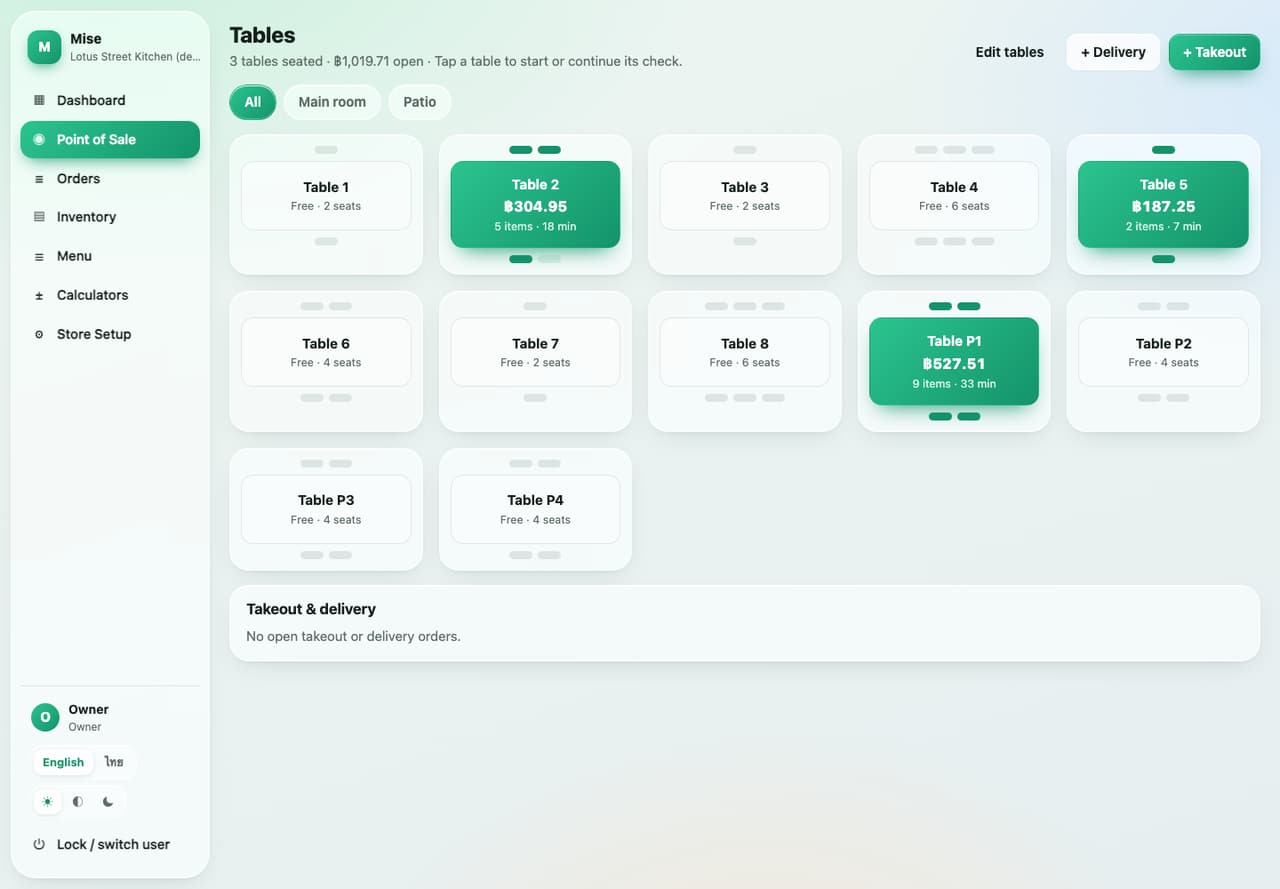
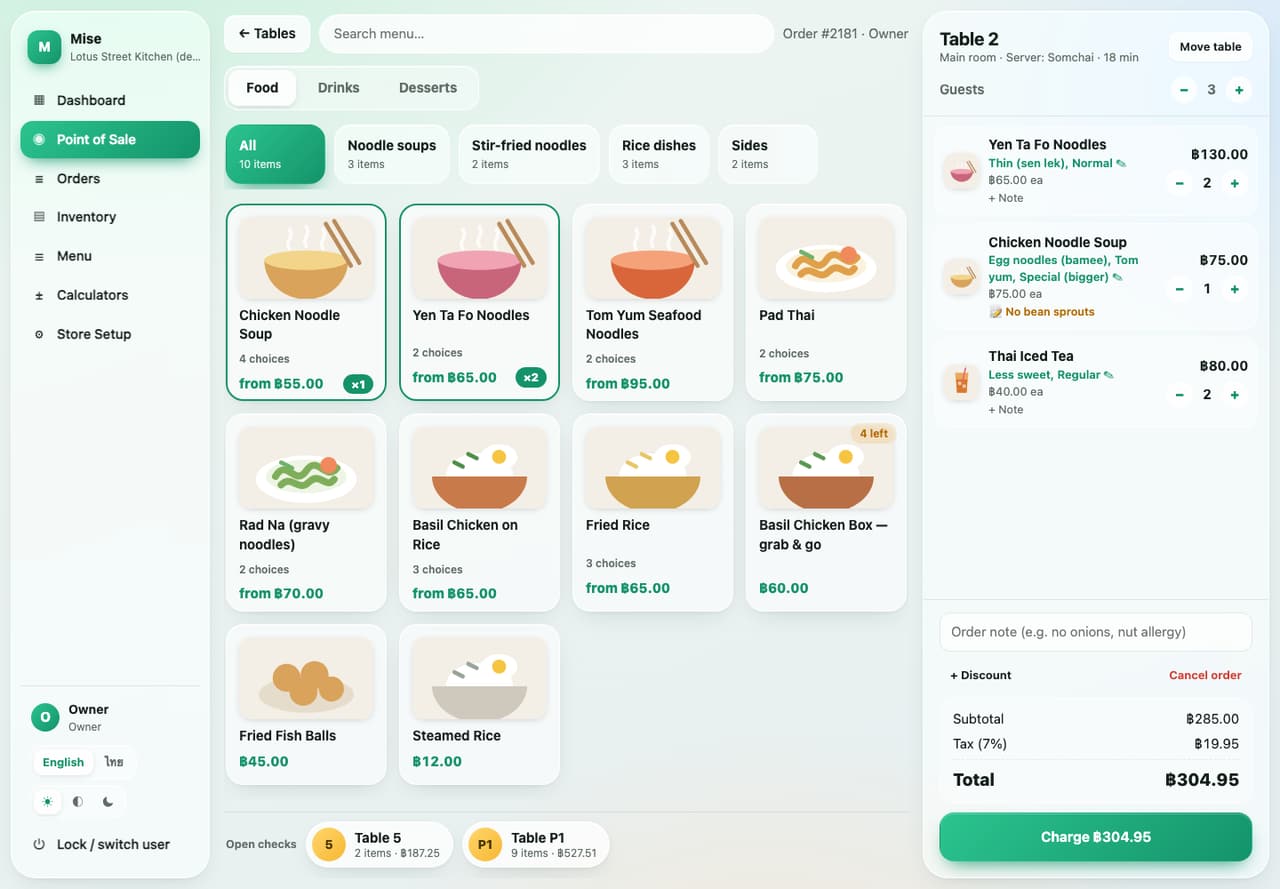
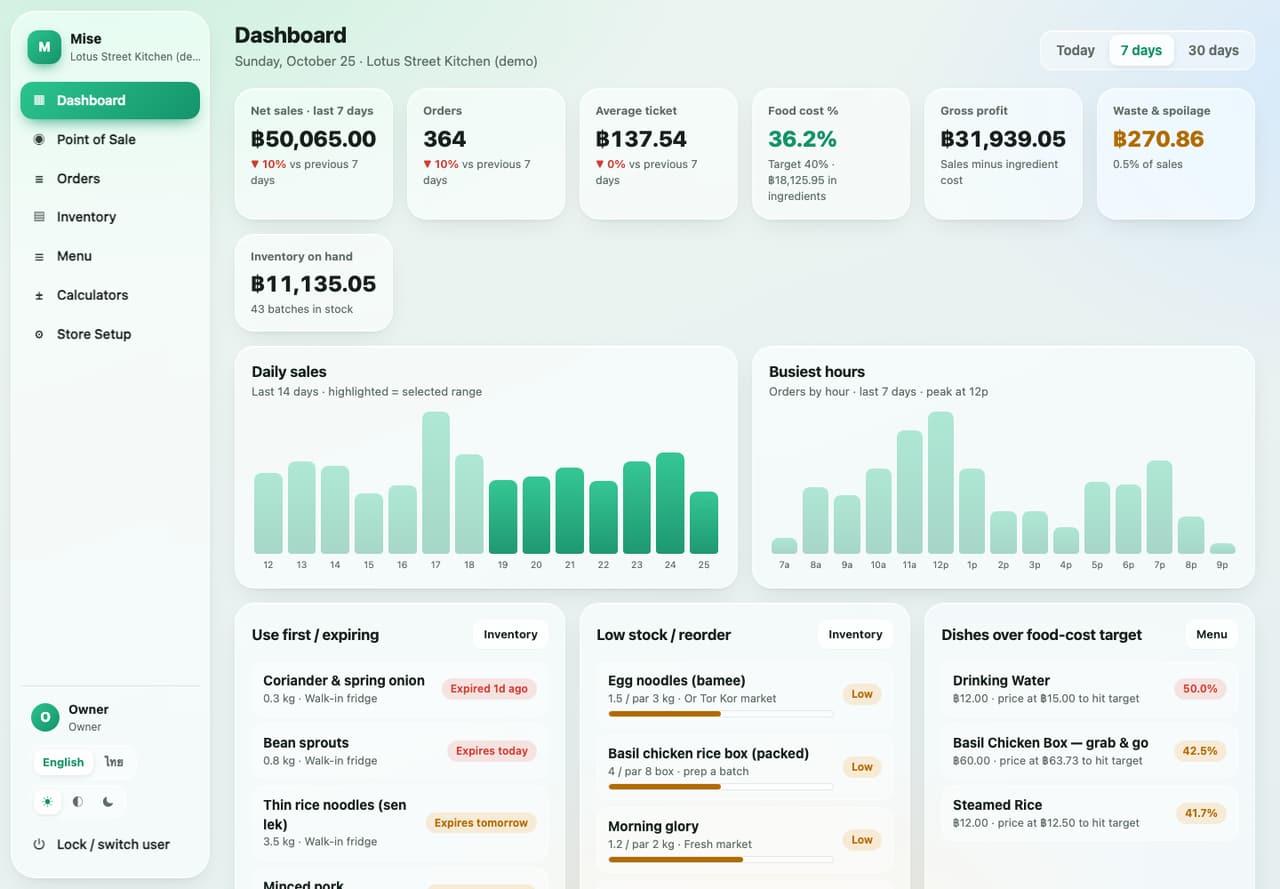
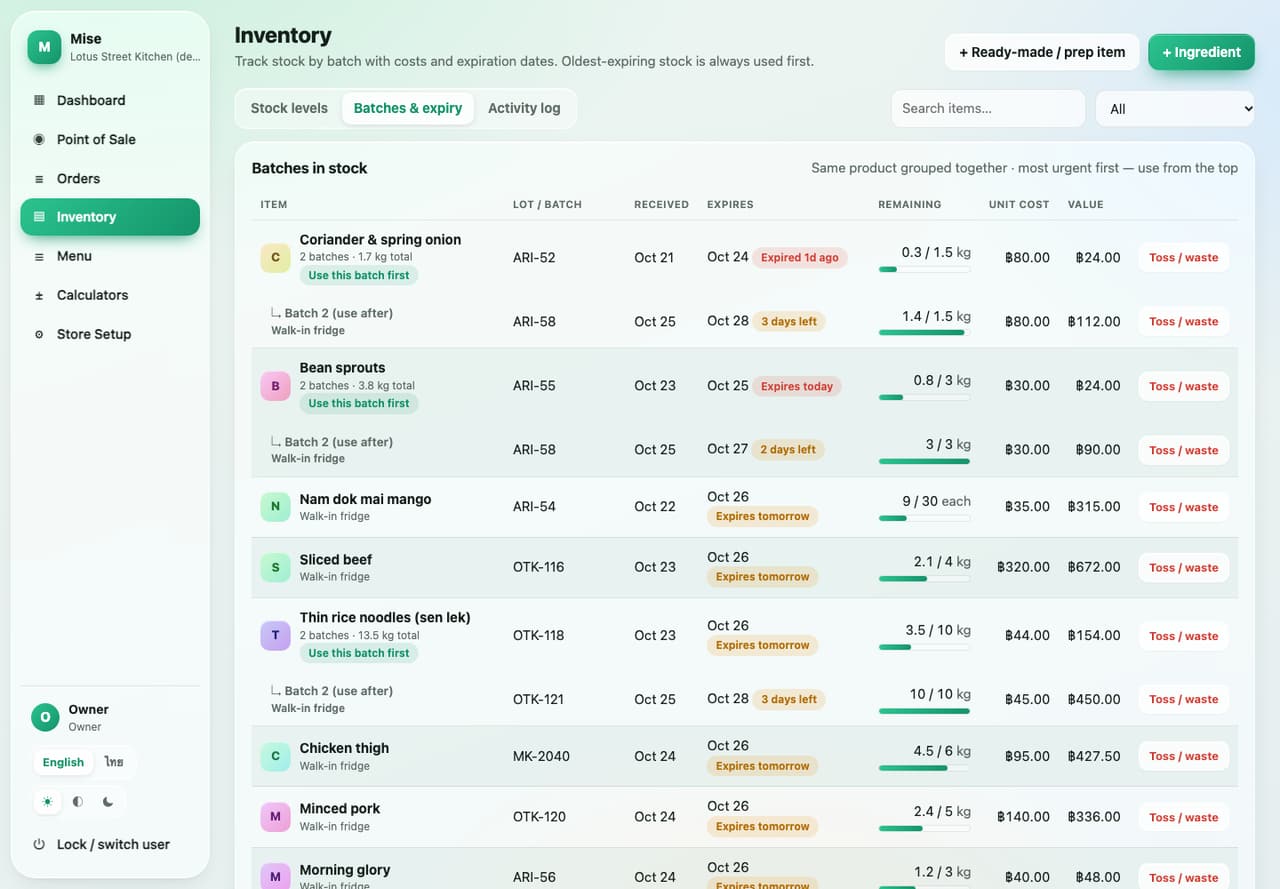
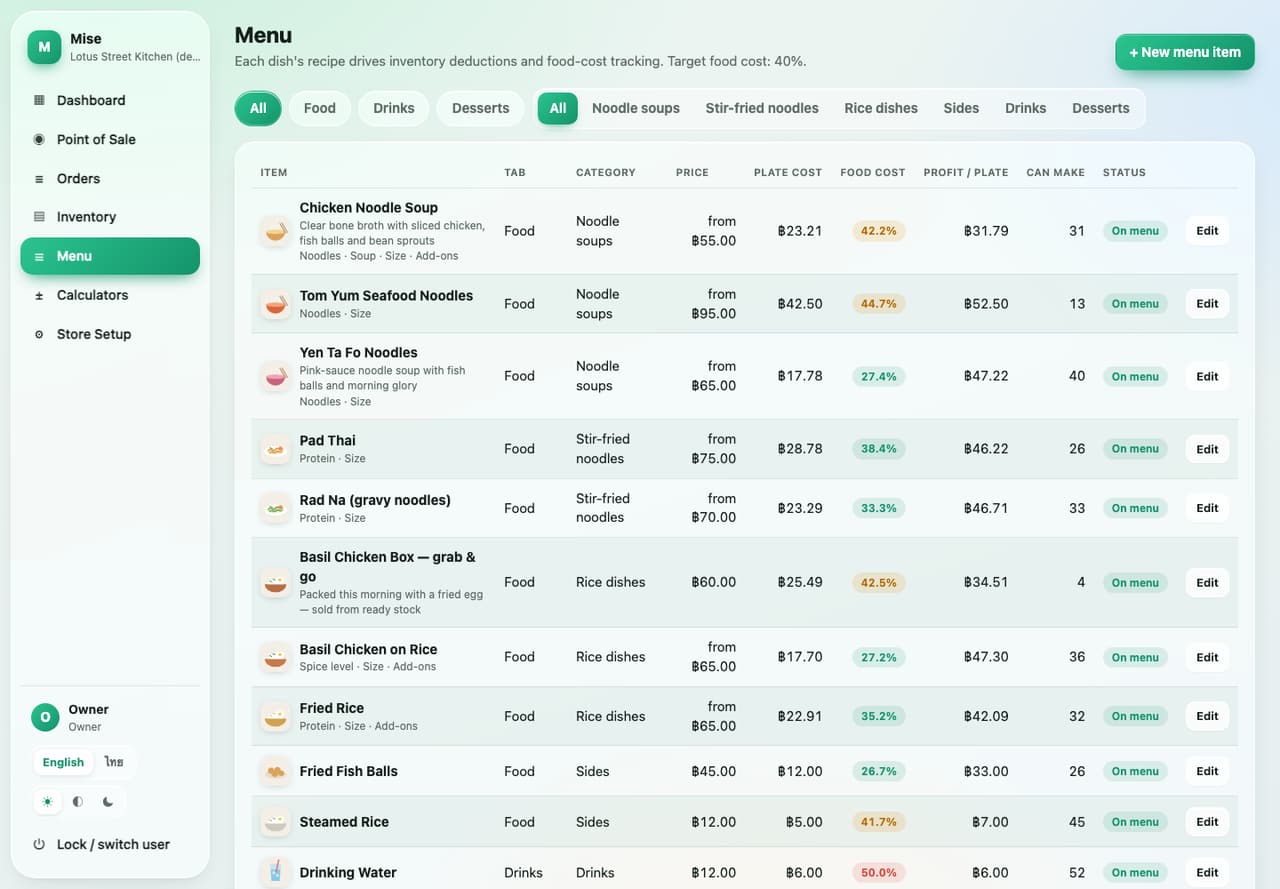
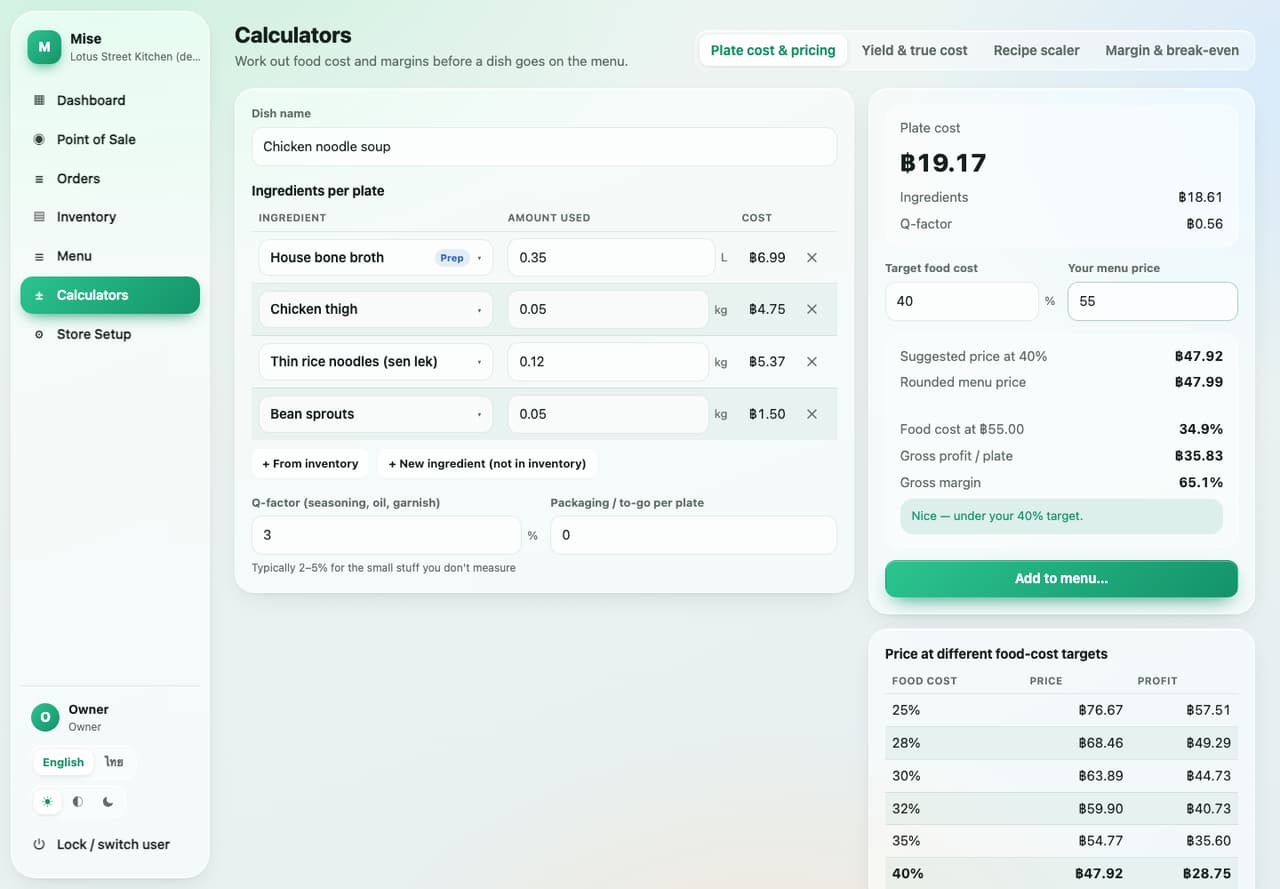
Screenshots use a made-up demo shop (Lotus Street Kitchen). The names, sales and stock are example data, not a customer's.
This is the idea behind Mise. Set it up once, and every sale keeps everything current.
What you buy, such as chicken thigh by the kilo or noodles by the kilo. Each has a unit and a par level.
Each delivery or prep run, with its own cost and expiry date. The batch that expires first is always used first.
Broth, sauces or packed meals made ahead, with a recipe and a yield, such as one pot giving 20 litres.
Each dish has a recipe made from items and prep. Every sale deducts stock and records the real ingredient cost on the order.
Open the app on the counter tablet or laptop and enter your own PIN. The app knows who rang up each sale.
Tap the table on the floor plan, set the guest count and tap dishes. Pick noodles or size, add a note like no bean sprouts, and add more later.
Press + Takeout or + Delivery for an order with no table. Add a customer name, and find it again in the open checks strip.
Choose the payment method, add a discount or tip if needed, and the app works out tax and change, then prints the receipt. For cards, run the terminal as usual and tap the card button to record it.
Each sale deducts ingredients by recipe. The “x left” and 86'd badges on the POS follow real stock, and low prep items offer a make batch button.
The owner checks the dashboard, receives deliveries as batches, counts stock, logs waste, and exports a backup file on a regular schedule.
We would rather tell you plainly what it does not do, so you can decide properly.
The data is kept in the browser (IndexedDB) on the device you use. Clearing browser data or losing the device can lose it, so export a backup from Store Setup, Data and backup, regularly, and keep it somewhere safe.
Each device has its own data, so two devices do not see the same checks automatically. Tabs in the same browser stay in sync. To move to another device, export a backup and restore it there.
PINs keep honest staff out of the owner screens. They are not strong protection against someone with full access to the device, so keep the device and your backup files with people you trust.
Mise records which method the customer used, but it does not charge cards. Run cards on your existing terminal, then tap the matching payment button. Receipts from the app are simple receipts, not full Thai tax invoices.
A voided order is removed from sales totals, but ingredients already used are not returned to stock. Do a count if you need the numbers to match.
Mise is built for one shop per set of data. There are no multi-branch reports, online ordering or direct delivery-app link.
The live demo has a made-up sample shop, Lotus Street Kitchen, with a menu, stock and made-up sales. Take orders, read the dashboard and edit recipes freely. Your changes stay in your own browser, so they do not affect anyone else and are not sent to a server.
These PINs are for the public demo only. A real shop creates its own owner PIN when it starts.
Start on the phone or tablet you already have. No device to buy and no card to enter. You pay only if you keep using it after the first month. Prices are in US dollars on the English page and Thai baht on the Thai page, for one shop, and do not include VAT.
There is nothing to sign and nothing to download. Online payment is not switched on yet, so before your month ends we will agree with you how to pay if you want to keep going.
Software plus the device you need, for one shop, from the providers' own published starting prices. Mise needs no device purchase, so most of the gap is the hardware and the monthly fee.
Loyverse is not in the chart because its core is free and its paid add-ons are priced in US dollars. See the table below.
| System | Software | Device you need | Year 1 | 3 years | Free option |
|---|---|---|---|---|---|
| Mise | ฿99/month or ฿999/year | None: your own phone or tablet | ฿999 | ฿2,997 | First month free |
| Wongnai POS (FoodStory is now sold on the same page) | ฿1,090/month (Quick Service) | POS terminal sold separately, from ฿8,900 | ฿21,980 | ฿48,140 | Not found; demo on request |
| Ocha, on your own iPad | ฿799/month or ฿8,900/year | Your own iPad or tablet | ฿8,900 | ฿26,700 | Not found |
| Ocha, hardware bundle | ฿799/month (first 3 months included) | Bundle from ฿17,990 | ฿25,181 | ฿44,357 | 3 months with the bundle |
| Qashier Essential | ฿7,990, billed annually (1) | Your own Android tablet, or bundles from ฿9,990 | from ฿7,990 | from ฿23,970 | Demo on request |
| Papaya Starter | ฿1,490/month | Card terminal and printer included | ฿17,880 | ฿53,640 | 30-day trial |
| Loyverse | Core free; paid add-ons are priced in US dollars | Your own device; printers extra | ฿0 (core) | ฿0 (core) | Free plan, 31 days of reports |
How we worked it out: the published software price plus the cheapest device the provider lists, ignoring Mise's free month and promotions. “Not found” means we did not find it on the pages we checked. Note (1): Qashier's page does not say clearly whether ฿7,990 is per year. We assumed per year, so check with them before you decide.
Mise is built for one small shop. Several of these systems keep the same data on every device, run many branches, connect to delivery apps or issue Thai tax invoices. Mise does not do those yet. If you need them, choose a system that does. If you want a simple till with stock and recipe costing, on a phone you already own, for $3 a month (฿99), Mise is built for that.
| Feature | Mise | Wongnai POS | Ocha | Loyverse | Qashier | Papaya |
|---|---|---|---|---|---|---|
| Free plan or trial | 1 month free | Not found | Not found (3 months with hardware) | Free core plan | Demo (no free trial found) | 30 days |
| Runs on your own phone or tablet | Yes | POS terminal sold separately | Yes (software only) | Yes | Yes (Android) | Yes, no special terminal needed |
| Works offline | Yes | Not found | Yes | Yes, with limits | Payments yes; reports need internet | Yes |
| Same data on every device (cloud) | No, not yet | Yes | Not found | Not found | Yes | Yes |
| More than one branch | No, one shop | Enterprise plan (quote) | Yes | Yes | Enterprise plan (quote) | Yes |
| Delivery-app integration | No | Yes (LINE MAN) | Not found | Not found | Paid add-on (Grab, foodpanda) | Yes |
| Recipe-based stock deduction | Yes | Basic stock; recipes in FoodStory | Yes | Paid add-on (advanced inventory) | Not found | Yes, in the paid Stock package |
| Batch and expiry-date tracking | Yes | Not found | Not found | Not found | Not found | Not found |
| Thai tax invoice | No, simple receipts | Not found | Yes | Not found | Add-on (Qashier Invoices) | Not found |
| Support | Email and setup help from us | 24 hours | Chat, weekdays 09:00 to 20:00 | Email and forum | 7 days, local support | Not found |
Product names belong to their owners and we are not affiliated with them. Information comes from each provider's public pages, checked on 25 October 2026. Prices and features change, so please confirm with the provider before you decide.
Try the demo, or tell us how many tables you have, what you sell and how many staff you have, and we will help you set it up and shape it to your shop.